# Main interfaces

## 1. Event creations

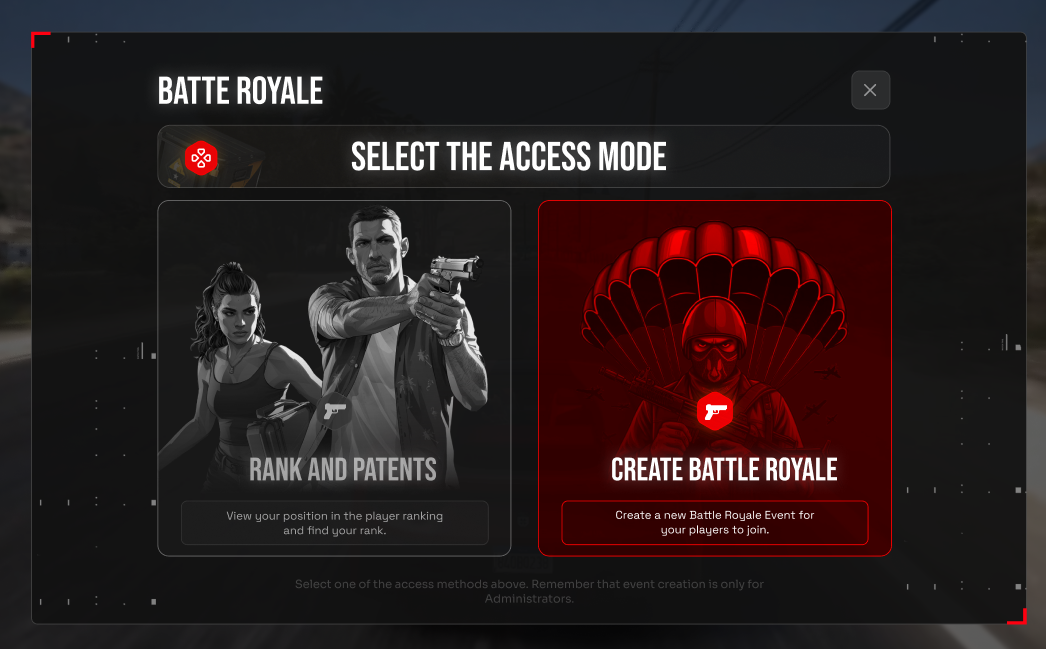
This first interface is accessible to all users. However, the CREATE BATTLE ROYALE section is only accessible to Administrators.

<figure><img src="https://2012973112-files.gitbook.io/~/files/v0/b/gitbook-x-prod.appspot.com/o/spaces%2FlA1DdiXgFSscwcWkO0rz%2Fuploads%2Fvjpi9rffwO1ImaZ4H7hn%2Frankasdfdg_1.png?alt=media&#x26;token=953f6829-0a48-4c54-abe0-13940842f8be" alt=""><figcaption></figcaption></figure>

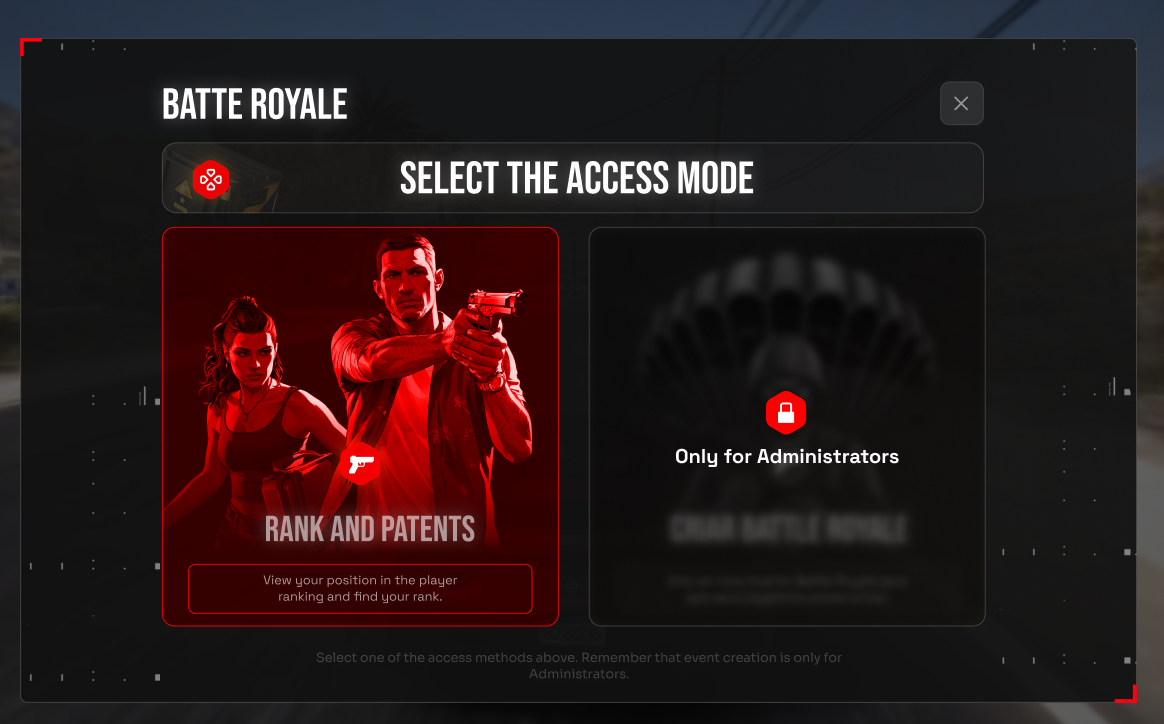
For those who do not hold the Administrator role, the following block will apply;

<figure><img src="https://2012973112-files.gitbook.io/~/files/v0/b/gitbook-x-prod.appspot.com/o/spaces%2FlA1DdiXgFSscwcWkO0rz%2Fuploads%2FlvaP2RGhSGDwwH0NFlzM%2Frankasdfdg_2.png?alt=media&#x26;token=aced2039-9794-4dc4-8505-1cca3473d9bb" alt=""><figcaption></figcaption></figure>

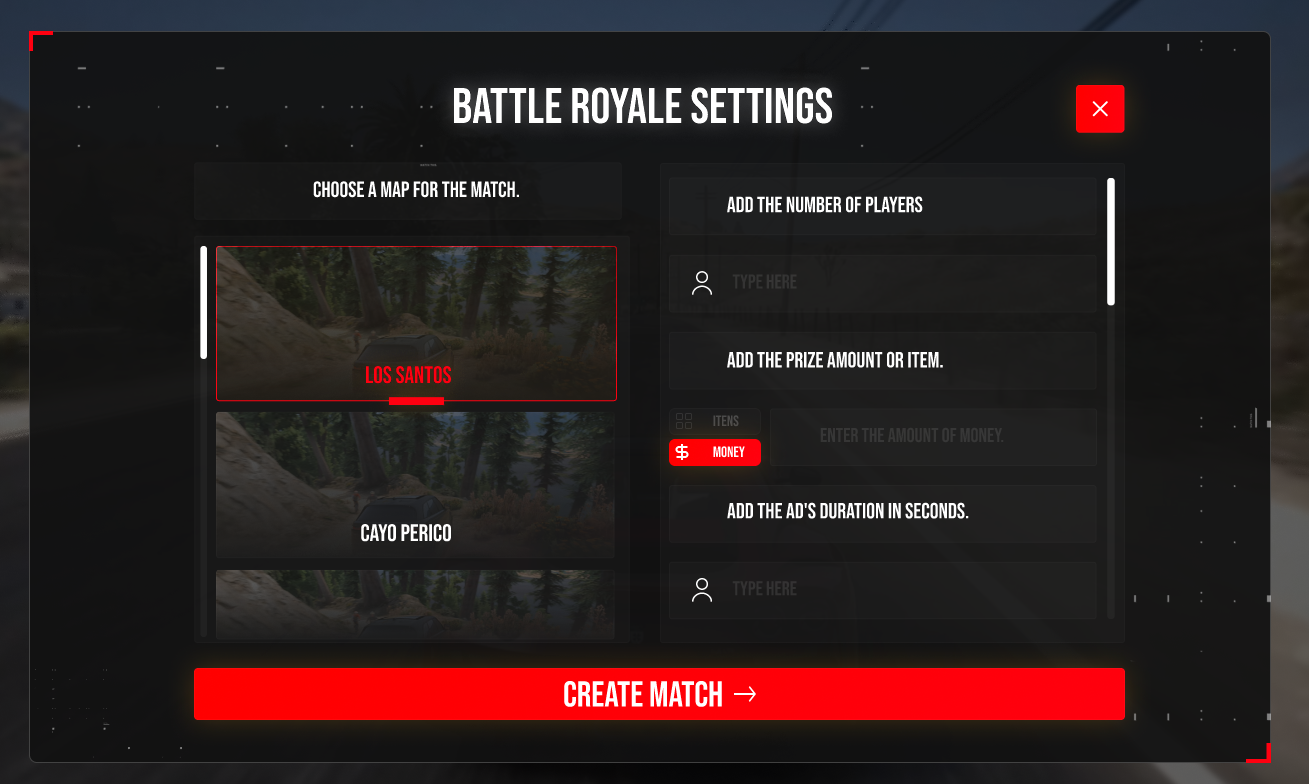
This part of the creation process is reserved for Administrators to create events only.

<figure><img src="https://2012973112-files.gitbook.io/~/files/v0/b/gitbook-x-prod.appspot.com/o/spaces%2FlA1DdiXgFSscwcWkO0rz%2Fuploads%2Fm6A2rSpobzHcYaqaCMau%2Fstylegroup_anuncio_1.png?alt=media&#x26;token=5fc205bb-0c73-4315-ae2e-2d896faa8c7f" alt=""><figcaption></figcaption></figure>

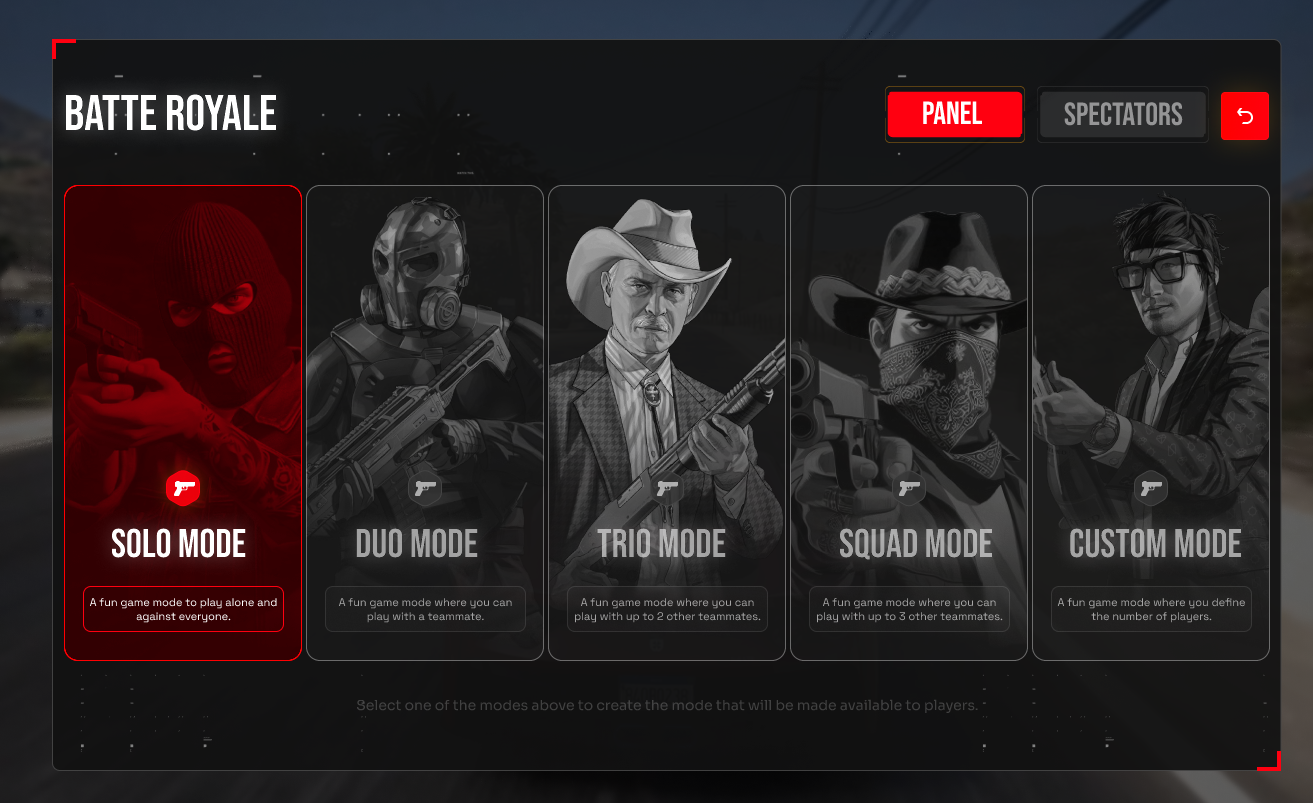
Choose how the event will be created, total number of teams, reward item, map to be played on, enable or disable vehicles in the match.

<figure><img src="https://2012973112-files.gitbook.io/~/files/v0/b/gitbook-x-prod.appspot.com/o/spaces%2FlA1DdiXgFSscwcWkO0rz%2Fuploads%2FEUxWRA3zItkSDbjRoIbX%2Fstylegroup_anuncio_3.png?alt=media&#x26;token=79405629-d768-4560-b471-828040473c33" alt=""><figcaption></figcaption></figure>

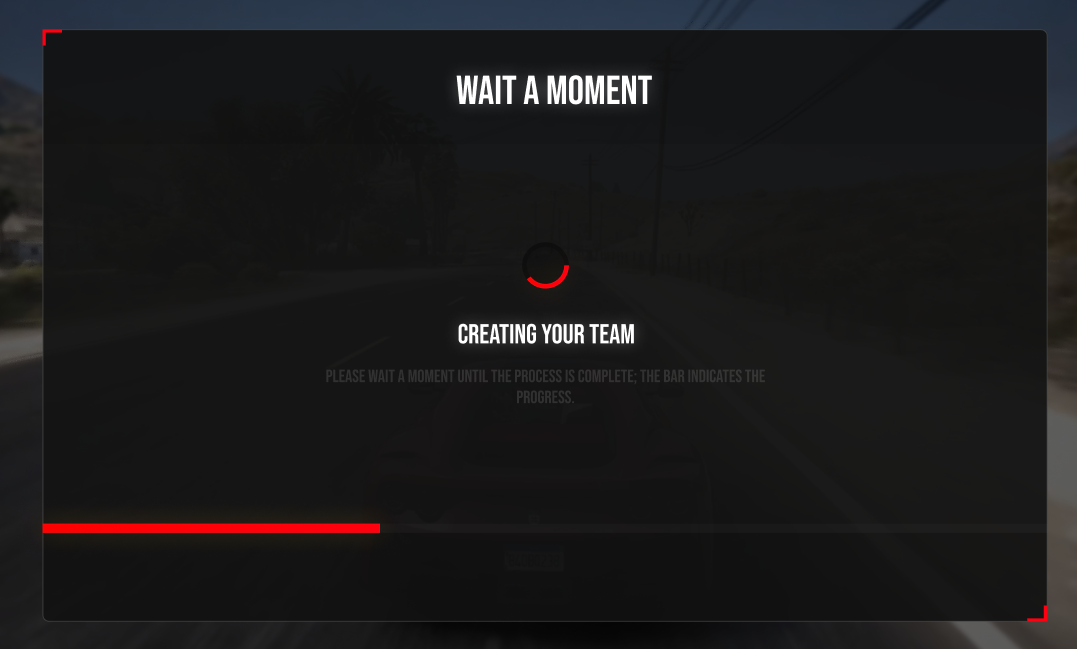
Please wait for the event to be created.

<figure><img src="https://2012973112-files.gitbook.io/~/files/v0/b/gitbook-x-prod.appspot.com/o/spaces%2FlA1DdiXgFSscwcWkO0rz%2Fuploads%2FNLqiFzBCY40Wqdn7EZgr%2Frankasdfdg_3.png?alt=media&#x26;token=9b1455e2-198f-4576-ac55-e3c63d86406a" alt=""><figcaption></figcaption></figure>

## 2. Event creations

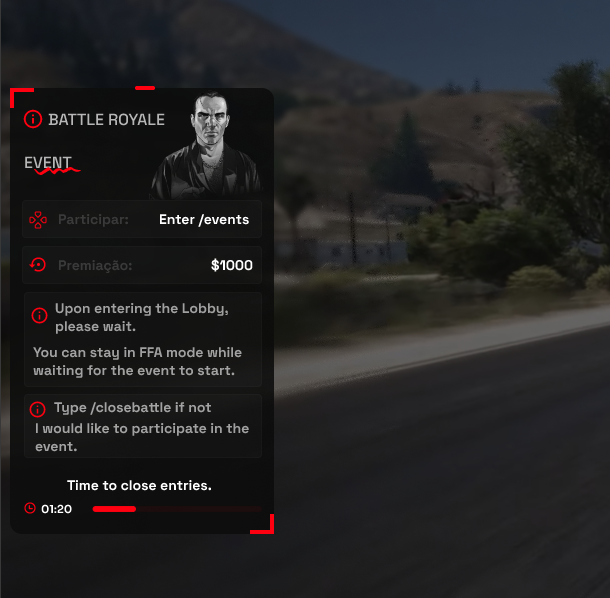
Announcement for all online players on the server.

Players who do not wish to participate in the event can simply type the command /closebattle

<figure><img src="https://2012973112-files.gitbook.io/~/files/v0/b/gitbook-x-prod.appspot.com/o/spaces%2FlA1DdiXgFSscwcWkO0rz%2Fuploads%2F5wxaL2GhGItasK2m9VVM%2Fstylegroup_anuncio_4.png?alt=media&#x26;token=8834384e-1164-4b79-97be-0e3ba050ef09" alt=""><figcaption></figcaption></figure>

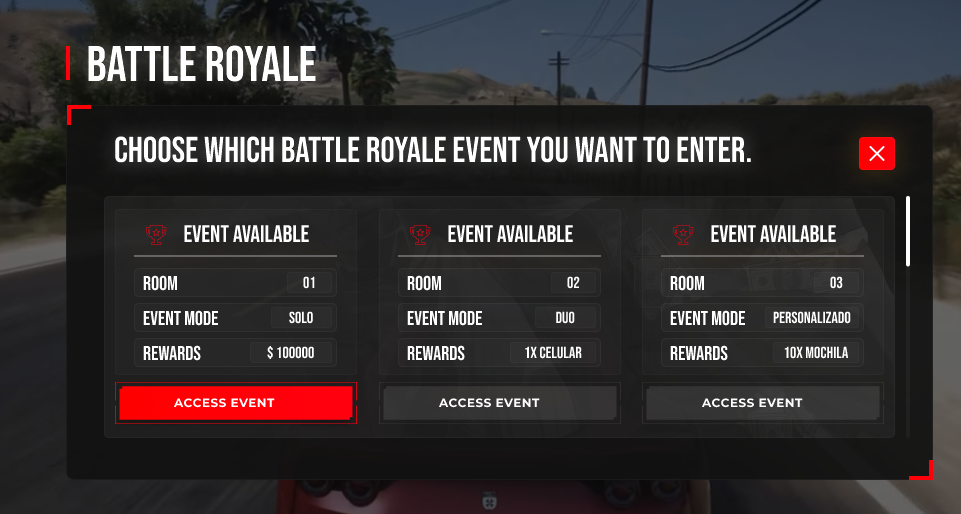
Players can access the event using the /events command and will see the screen below to choose which event they wish to join.

<figure><img src="https://2012973112-files.gitbook.io/~/files/v0/b/gitbook-x-prod.appspot.com/o/spaces%2FlA1DdiXgFSscwcWkO0rz%2Fuploads%2FSXrKmKjHR8oFPGxqZTgA%2Fstylegroup_anuncio_10.png?alt=media&#x26;token=508deb19-7f0e-45d4-b321-ce0e4fd29344" alt=""><figcaption></figcaption></figure>

## 3. Team Creation

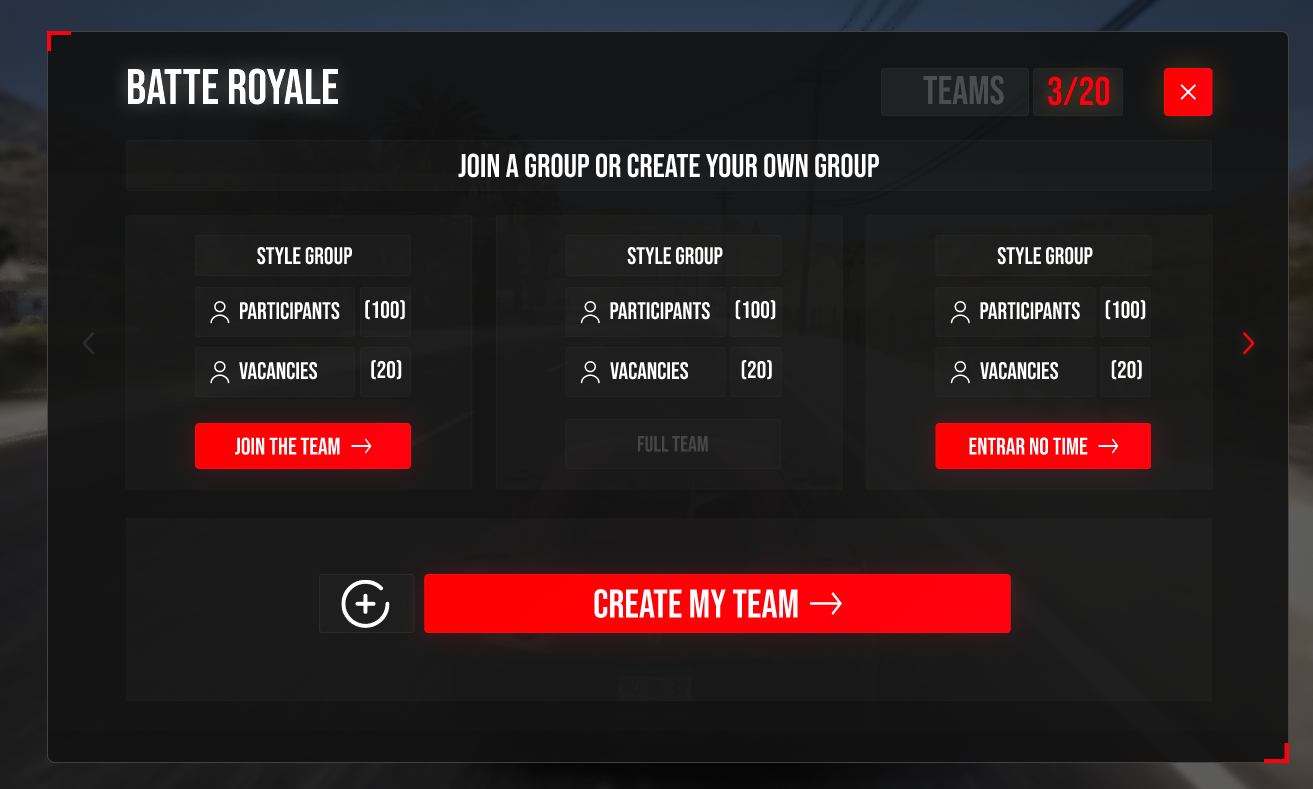
After choosing the Battle Royale event, simply create your team or join someone else's team.

<figure><img src="https://2012973112-files.gitbook.io/~/files/v0/b/gitbook-x-prod.appspot.com/o/spaces%2FlA1DdiXgFSscwcWkO0rz%2Fuploads%2FXvcGVefd9q5Zn20pt29W%2Fstylegroup_anuncio_11.png?alt=media&#x26;token=a6aba22a-71cc-4b1c-9f55-0cf3b2bdaf25" alt=""><figcaption></figcaption></figure>

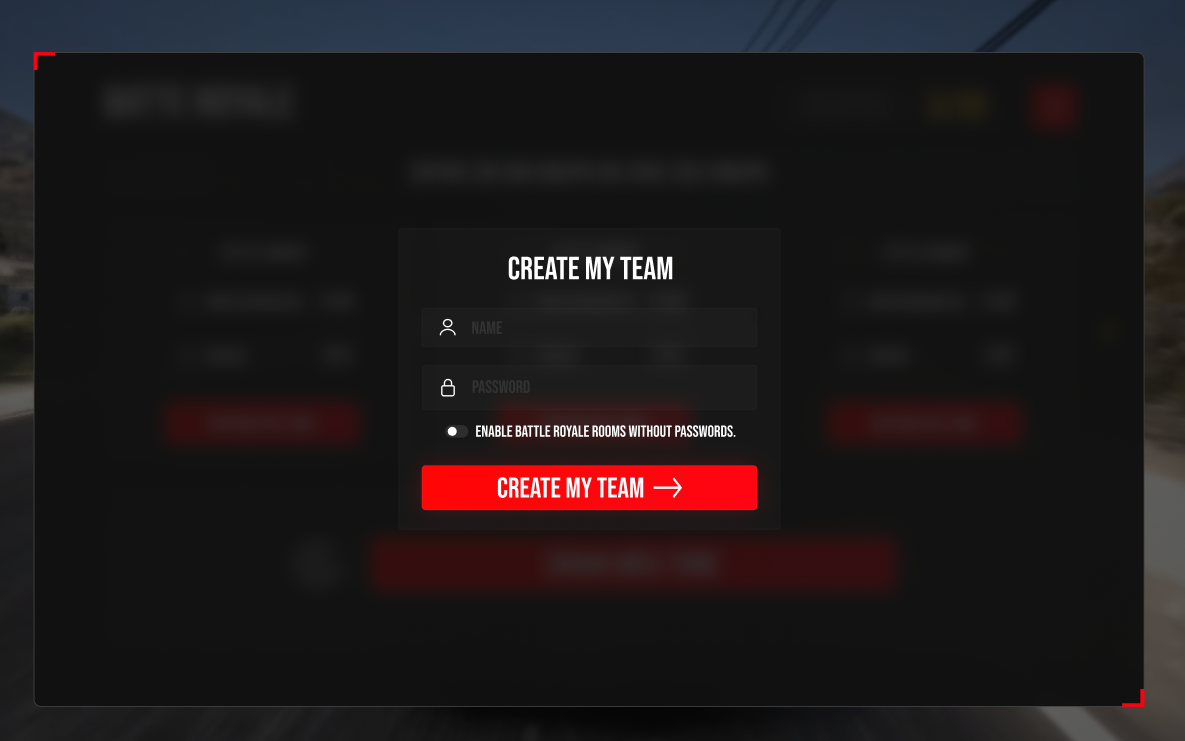
Add a team name and password if you want a private team.

<figure><img src="https://2012973112-files.gitbook.io/~/files/v0/b/gitbook-x-prod.appspot.com/o/spaces%2FlA1DdiXgFSscwcWkO0rz%2Fuploads%2Fb2o8eVBuRPv6BV50jDpM%2Frankasdfdg_4.png?alt=media&#x26;token=2bc56675-d962-4a20-8bd1-2fe1e1f240fe" alt=""><figcaption></figcaption></figure>

## 4. FFA Lobby - Awaiting event to start.

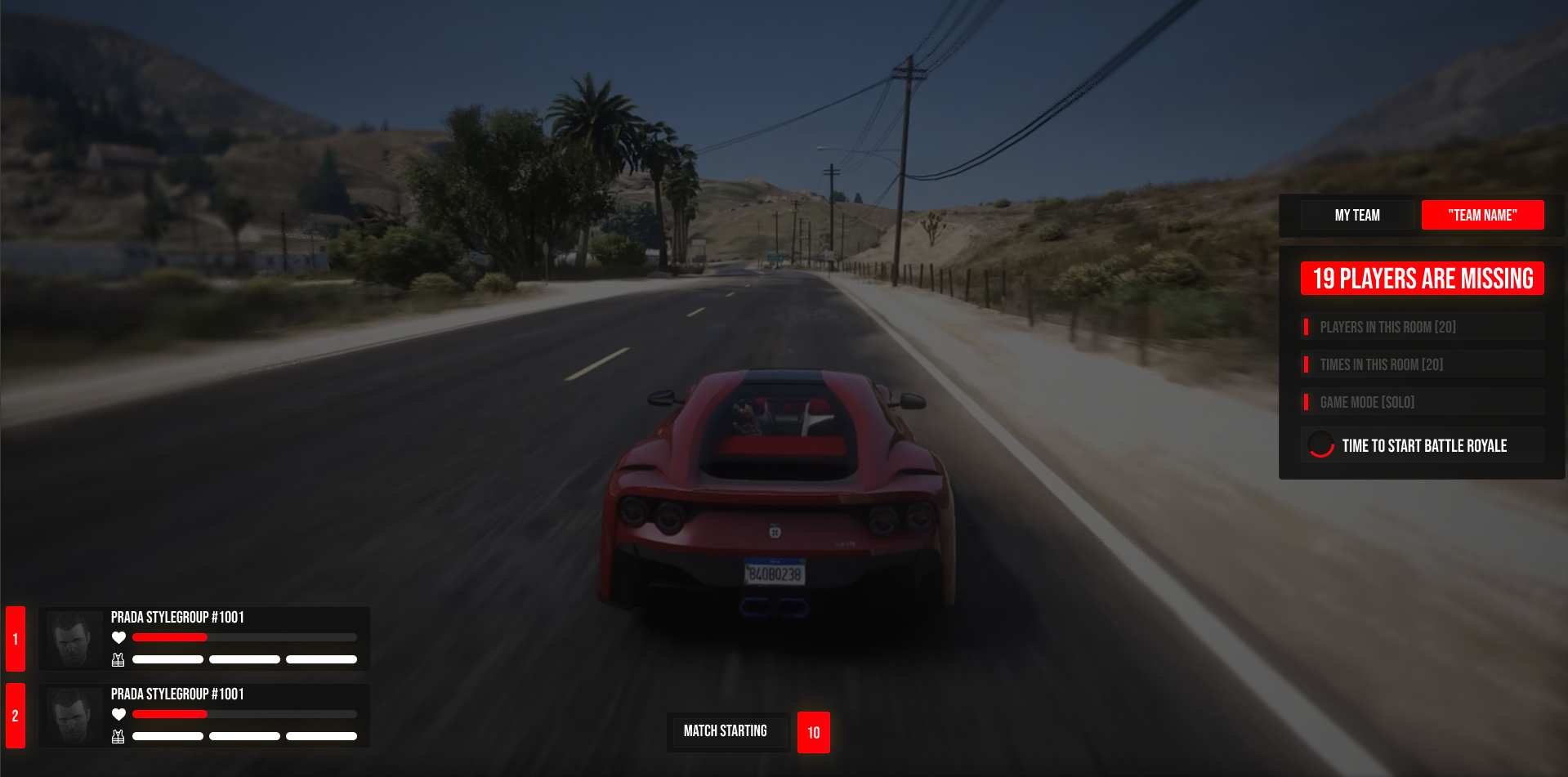
Players can remain in a Full Fire Action (FFA) while the event is expected to start. If you have teammates, simply view their information in the lower left corner.

<figure><img src="https://2012973112-files.gitbook.io/~/files/v0/b/gitbook-x-prod.appspot.com/o/spaces%2FlA1DdiXgFSscwcWkO0rz%2Fuploads%2Fzqt5ys078VyBKPmqH9CJ%2Fstylegroup_anuncio_12.png?alt=media&#x26;token=0b1e7a07-1cf3-4e27-a540-965b174e1f7b" alt=""><figcaption></figcaption></figure>

## 5. Event Started

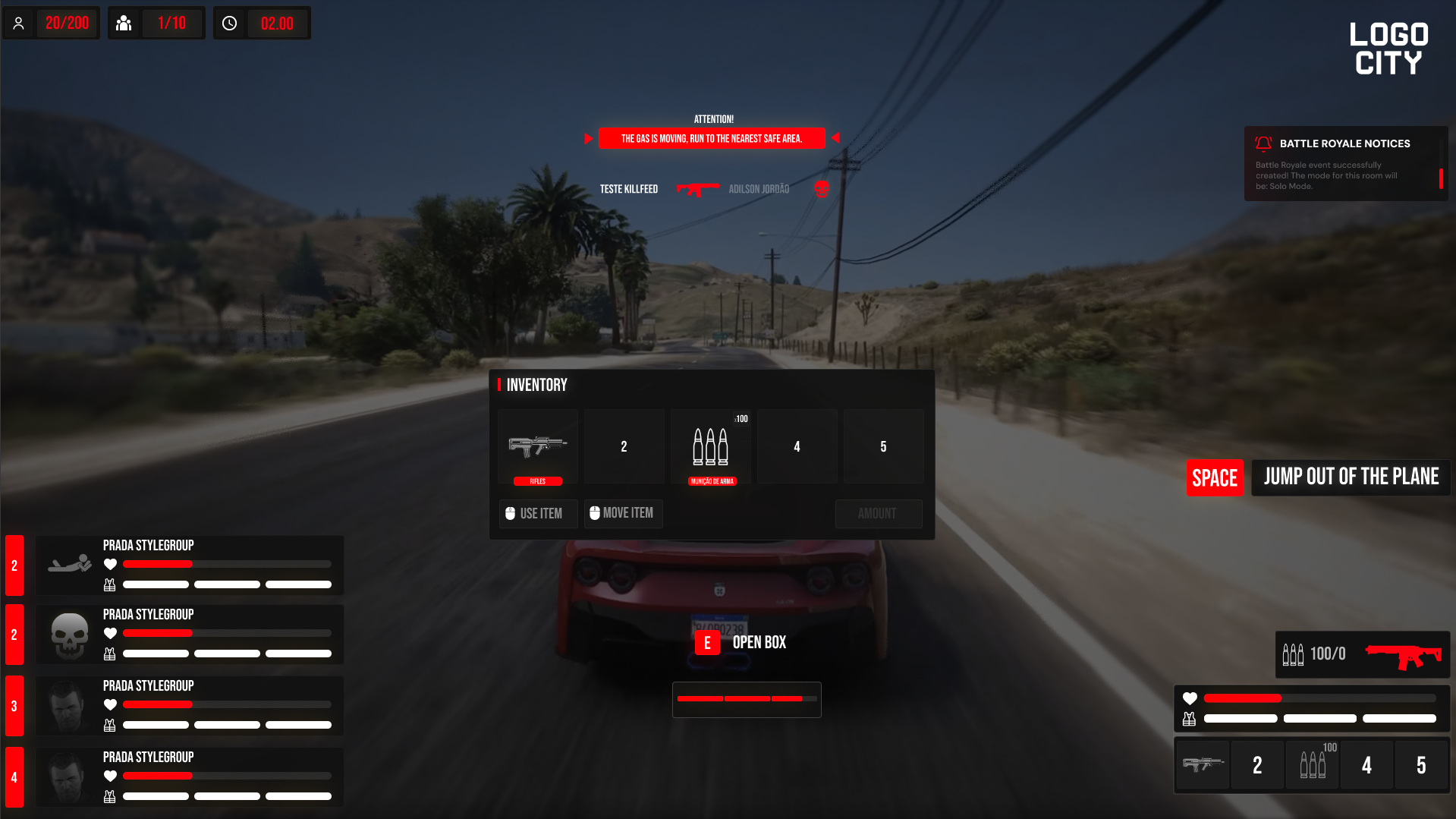
When the event starts, you will obtain the complete Battle Royale HUD.

You can add your city's logo as usual.

<figure><img src="https://2012973112-files.gitbook.io/~/files/v0/b/gitbook-x-prod.appspot.com/o/spaces%2FlA1DdiXgFSscwcWkO0rz%2Fuploads%2FJsUlnd7ErsT7pYk8WeET%2Fstylegroup_anuncio_1_principal.png?alt=media&#x26;token=e4b0c62b-2307-4605-9b25-cf207b37174f" alt=""><figcaption></figcaption></figure>

<figure><img src="https://2012973112-files.gitbook.io/~/files/v0/b/gitbook-x-prod.appspot.com/o/spaces%2FlA1DdiXgFSscwcWkO0rz%2Fuploads%2F4bvzVEN1u28QRgbq3lJG%2Fstylegroup_anuncio_16.png?alt=media&#x26;token=ebf11c41-9d21-4b72-b090-04f109b7586a" alt=""><figcaption></figcaption></figure>

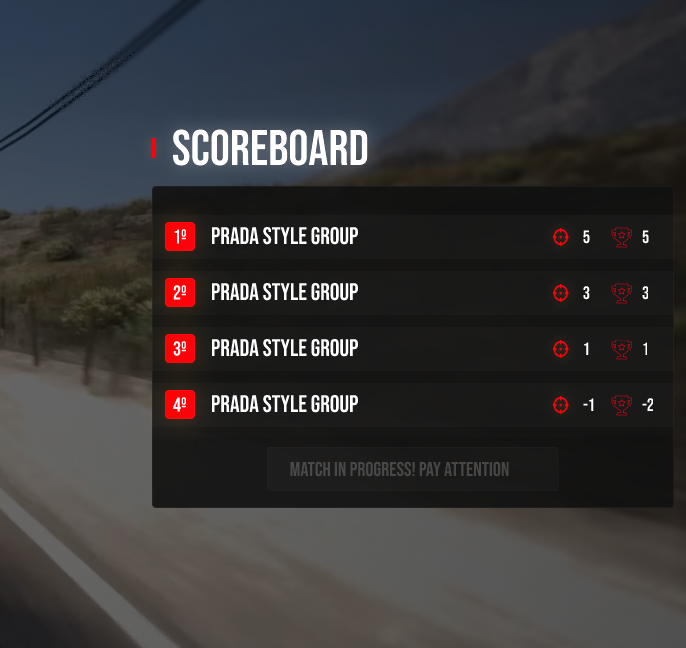
By default, you can access the scoreboard using the Tab key.

<figure><img src="https://2012973112-files.gitbook.io/~/files/v0/b/gitbook-x-prod.appspot.com/o/spaces%2FlA1DdiXgFSscwcWkO0rz%2Fuploads%2FeLFUIrc3YWpfn7GpqimQ%2Fstylegroup_anuncio_13.png?alt=media&#x26;token=78902d48-7c26-4971-904e-ea81f0128812" alt=""><figcaption></figcaption></figure>

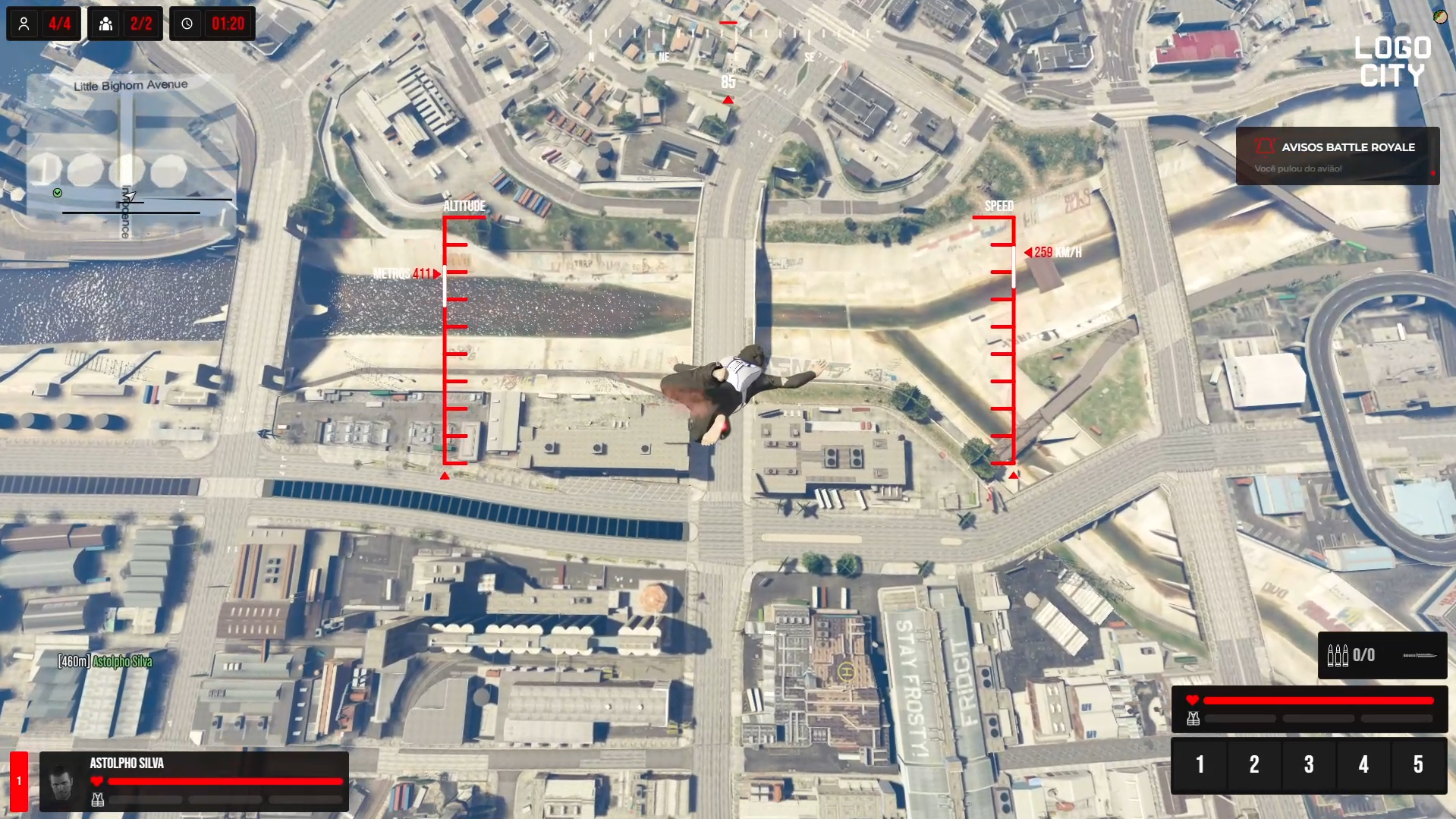
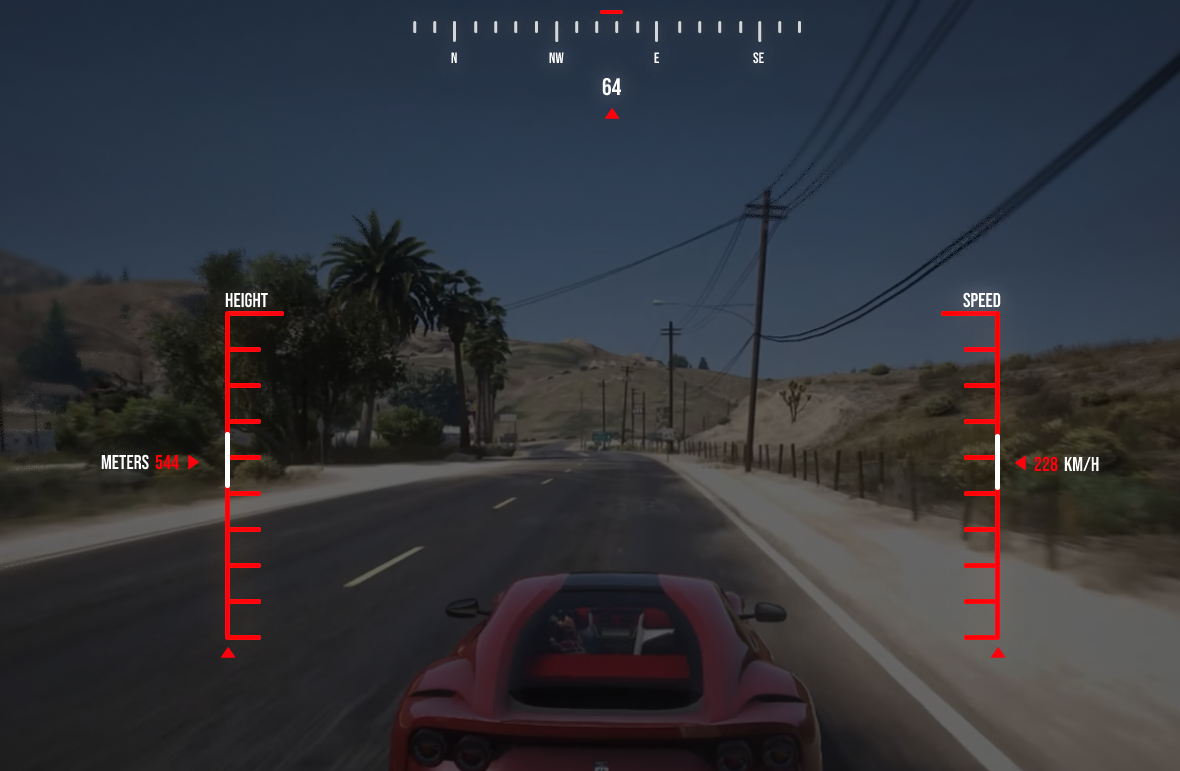
Players will gain control of the speed and altitude system when jumping from the parachute.

<figure><img src="https://2012973112-files.gitbook.io/~/files/v0/b/gitbook-x-prod.appspot.com/o/spaces%2FlA1DdiXgFSscwcWkO0rz%2Fuploads%2Fx03rAMOfg1KLdwUVKjUU%2Fstylegroup_anuncio_14.png?alt=media&#x26;token=f19fb5cd-99c3-42b4-867c-bfa3aeef99ba" alt=""><figcaption></figcaption></figure>

## 6. Event completed.

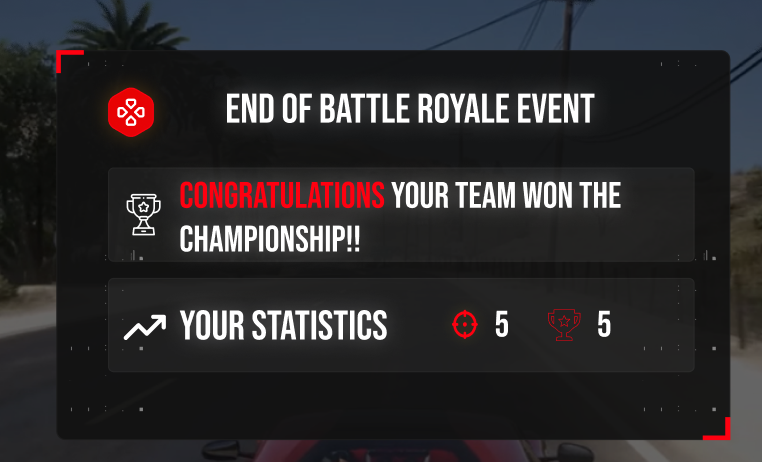
Screen for the winning team

<figure><img src="https://2012973112-files.gitbook.io/~/files/v0/b/gitbook-x-prod.appspot.com/o/spaces%2FlA1DdiXgFSscwcWkO0rz%2Fuploads%2FNA2jSQh8mtIgPcTtA7tl%2Fstylegroup_anuncio_15.png?alt=media&#x26;token=77f9f87a-af8e-4de7-866f-e4edac3af0ef" alt=""><figcaption></figcaption></figure>

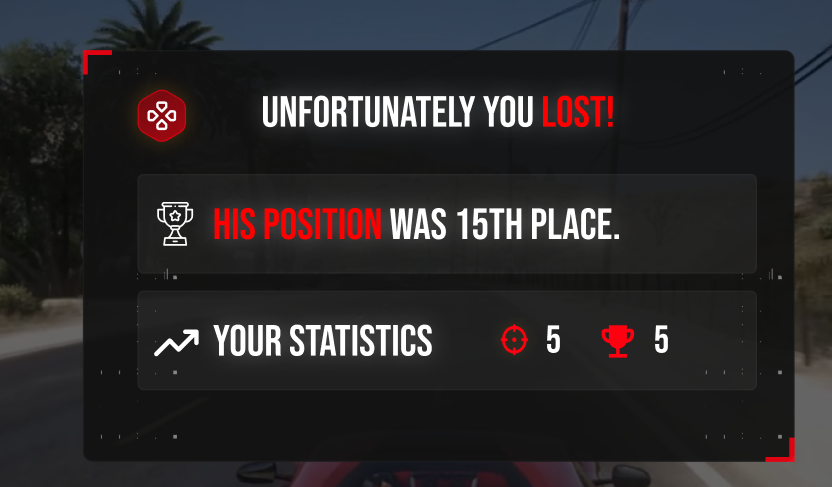
Screen for the losing teams

<figure><img src="https://2012973112-files.gitbook.io/~/files/v0/b/gitbook-x-prod.appspot.com/o/spaces%2FlA1DdiXgFSscwcWkO0rz%2Fuploads%2FFR4GtKGIZLgrjSJXZZwy%2Frankasdfdg_5.png?alt=media&#x26;token=c5bf97e8-b725-4e06-8a05-21eb1131dcbf" alt=""><figcaption></figcaption></figure>

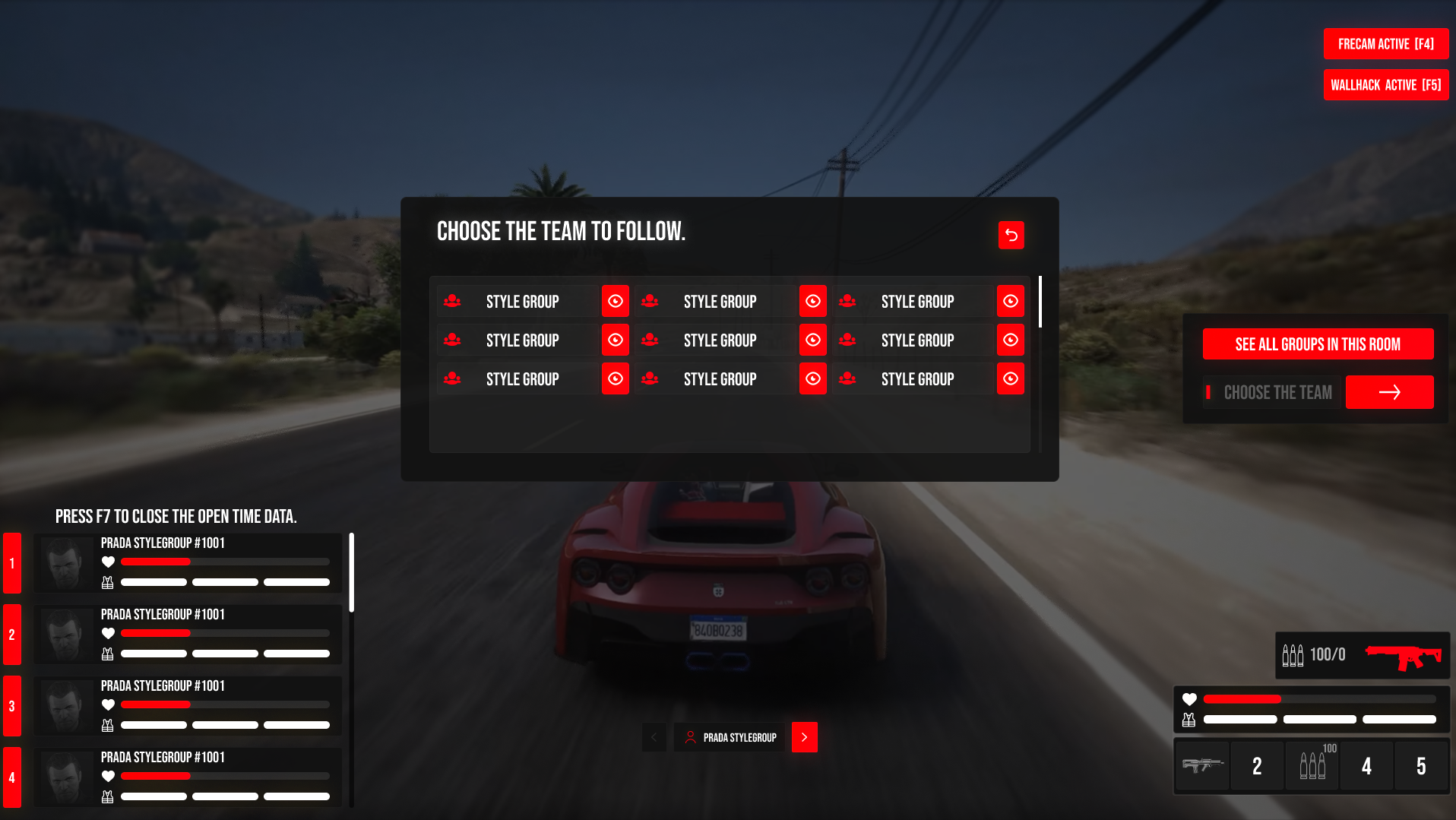
## 7. Monitoring mode for administrators.

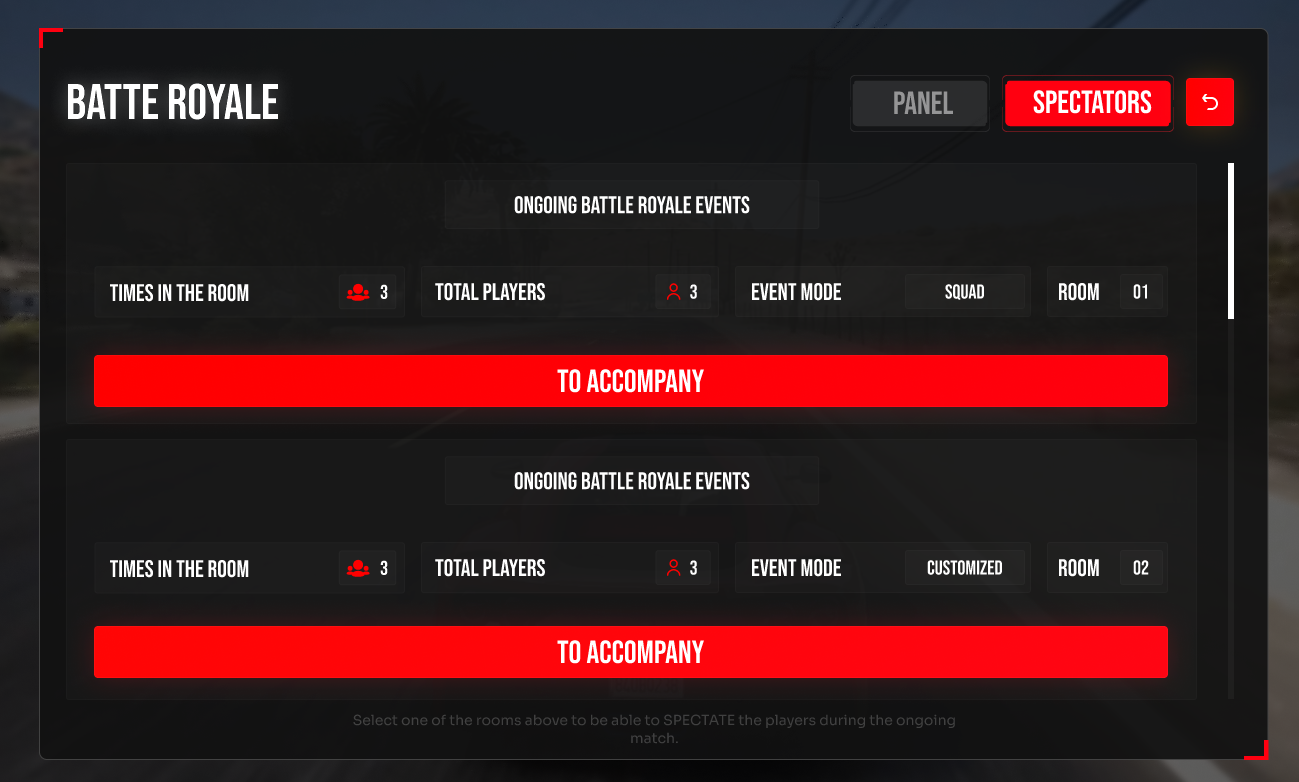
Only configurable roles will be able to access this step.

<figure><img src="https://2012973112-files.gitbook.io/~/files/v0/b/gitbook-x-prod.appspot.com/o/spaces%2FlA1DdiXgFSscwcWkO0rz%2Fuploads%2FAmQlPoquINFo3HGsZP0q%2Fstylegroup_anuncio_8.png?alt=media&#x26;token=8639a0cf-23c3-4a3a-80c5-398446190de0" alt=""><figcaption></figcaption></figure>

<figure><img src="https://2012973112-files.gitbook.io/~/files/v0/b/gitbook-x-prod.appspot.com/o/spaces%2FlA1DdiXgFSscwcWkO0rz%2Fuploads%2FYYtHNUQc4IG6hvEAo2hY%2Fstylegroup_anuncio_9.png?alt=media&#x26;token=cce56fb9-9dce-4f9d-af79-4bc20a46c191" alt=""><figcaption></figcaption></figure>

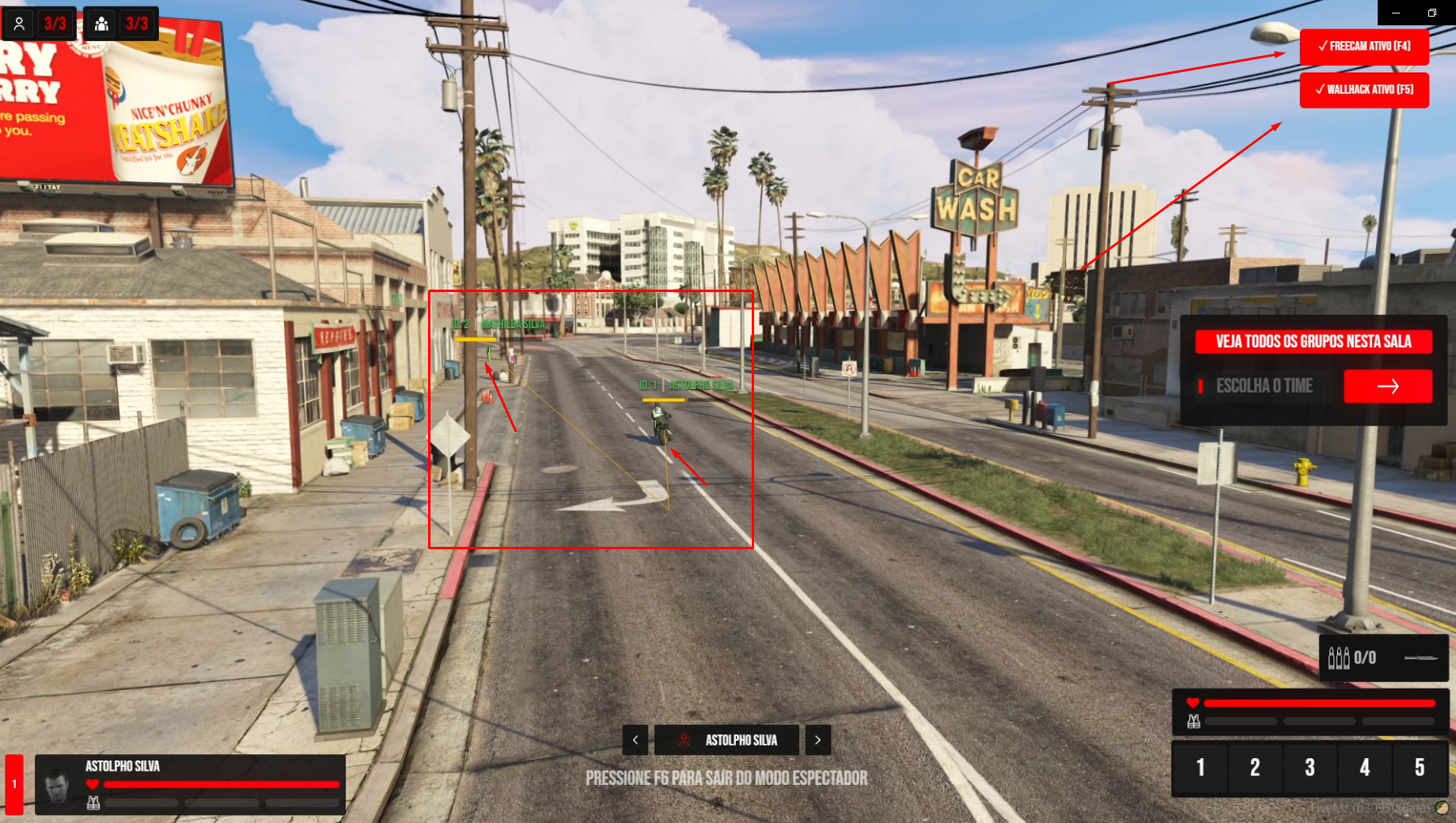
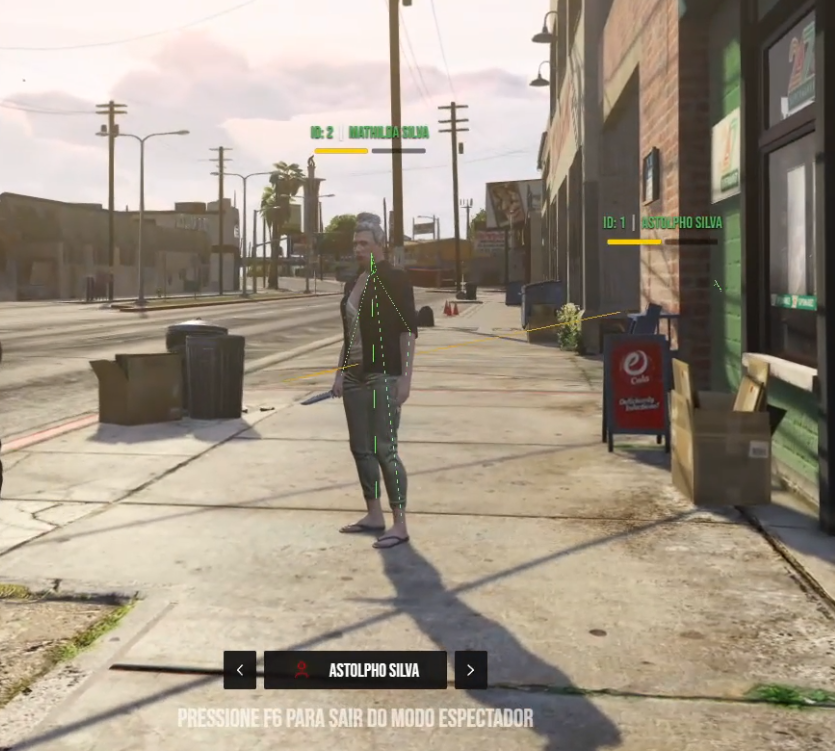
Wall and Freecam available via keys
<figure><img src="https://2012973112-files.gitbook.io/~/files/v0/b/gitbook-x-prod.appspot.com/o/spaces%2FlA1DdiXgFSscwcWkO0rz%2Fuploads%2FD1bTEpaTZYfUs1AAwAmA%2Fwallfree.png?alt=media&#x26;token=6d72696e-9dec-4c0b-828b-70a14ef22090" alt=""><figcaption></figcaption></figure>

<figure><img src="https://2012973112-files.gitbook.io/~/files/v0/b/gitbook-x-prod.appspot.com/o/spaces%2FlA1DdiXgFSscwcWkO0rz%2Fuploads%2FeGOYjWWcC049OFqYY3oZ%2Fwallfree2.png?alt=media&#x26;token=e342d3e3-d536-417d-8a59-b1a97af0dcab" alt=""><figcaption></figcaption></figure>